Introduction
In the world of Cisco SD-WAN, policies play a central role in shaping both how routes are advertised across the overlay network and how traffic is handled. Previously, policies were mainly split into control policies (for routing/topology) and data policies (for traffic forwarding and manipulation).
With the introduction of the SD-WAN User Interface 2.0, aka UX 2.0, Cisco introduced new policy concepts: Policy Groups, Topology definitions and an Application Catalog. This update is intended to explain those new concepts.
Let’s compare the classic policy types and the new UX 2.0 approach.
Classic Policy Types: Control vs Data
Centralized vs Localized Policies
Centralized Policies - configured on the Controller (vSmart) and pushed to selected SD-WAN routers. These include control policies, data policies, and app-aware routing policies.
Localized Policies - configured directly on individual SD-WAN routers; they affect only that device. Includes local ACLs, route policies, QoS settings.
Control Policies
Operate on the control plane. They define how routing information is exchanged, which routes are allowed or filtered, how TLOC (tunnel-locator) advertisement works, etc.
Common uses: shaping the overlay topology (hub-and-spoke vs mesh), controlling which routes are shared between sites/VPNs, filtering or tagging routes in OMP.
Data Policies
Operate on the data plane. They define how actual traffic is forwarded; they match on source/destination IPs, ports, applications, QoS marking, blocking traffic, steering by application etc.
Used for application-aware traffic steering, prioritization, QoS marking/policing, custom path control.
What’s New in UX 2.0: Policy Groups, Topology & Application Catalog
With the introduction of UX 2.0, Cisco changed the policy framework. Instead of scattered policy constructs, you now use Policy Groups that group together multiple policy sub-types. Also, the introduction of the Topology option, changes how control policies are handled. Finally, the application catalog, makes it easier to manage default and custom applications on the network.
Policy Groups
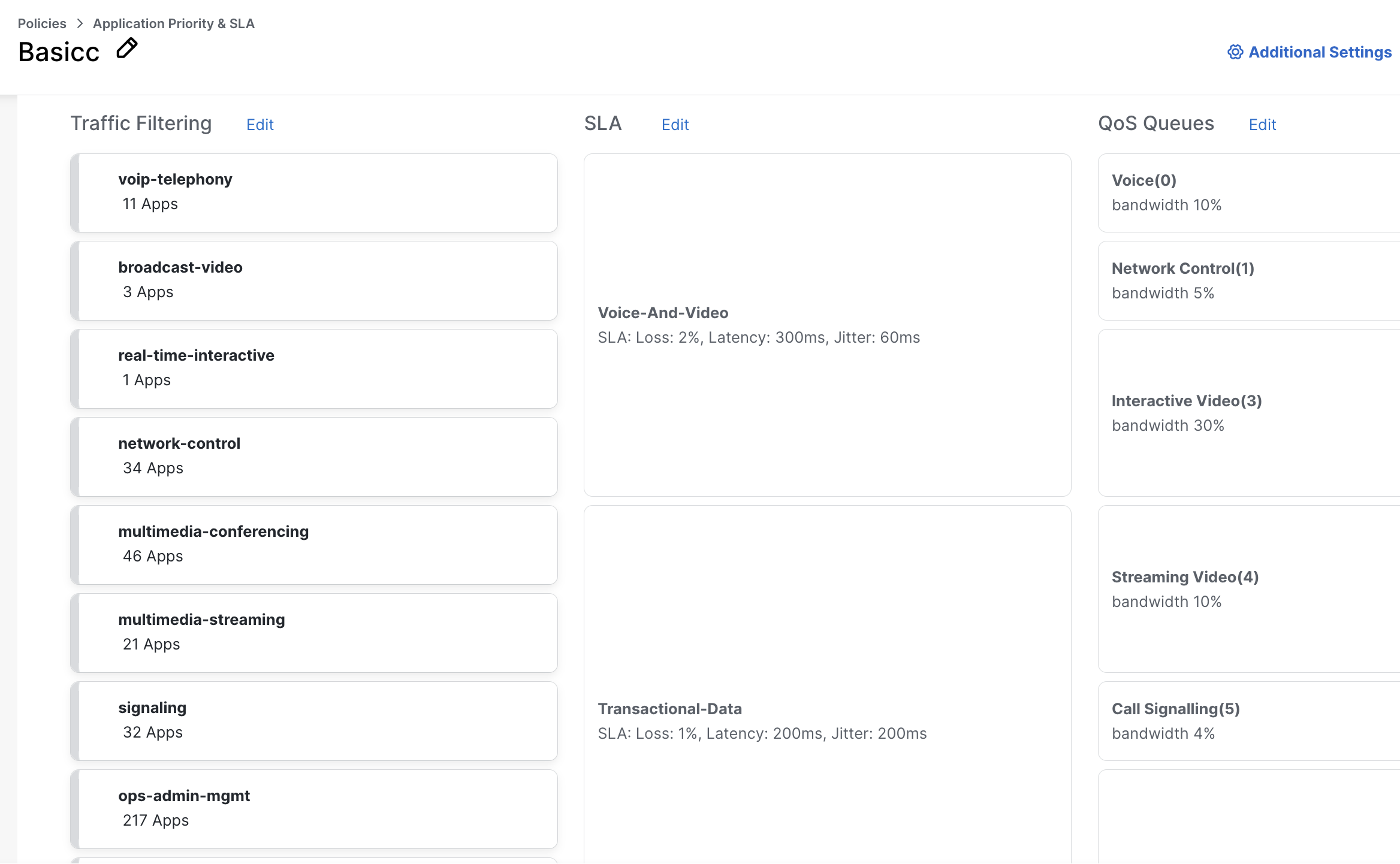
A Policy Group is a reusable collection of different policy profiles: application priority/SLA, Next Gen FW (URL filtering, IPS, etc), Secure Internet Gateway (SIG) and DNS security.
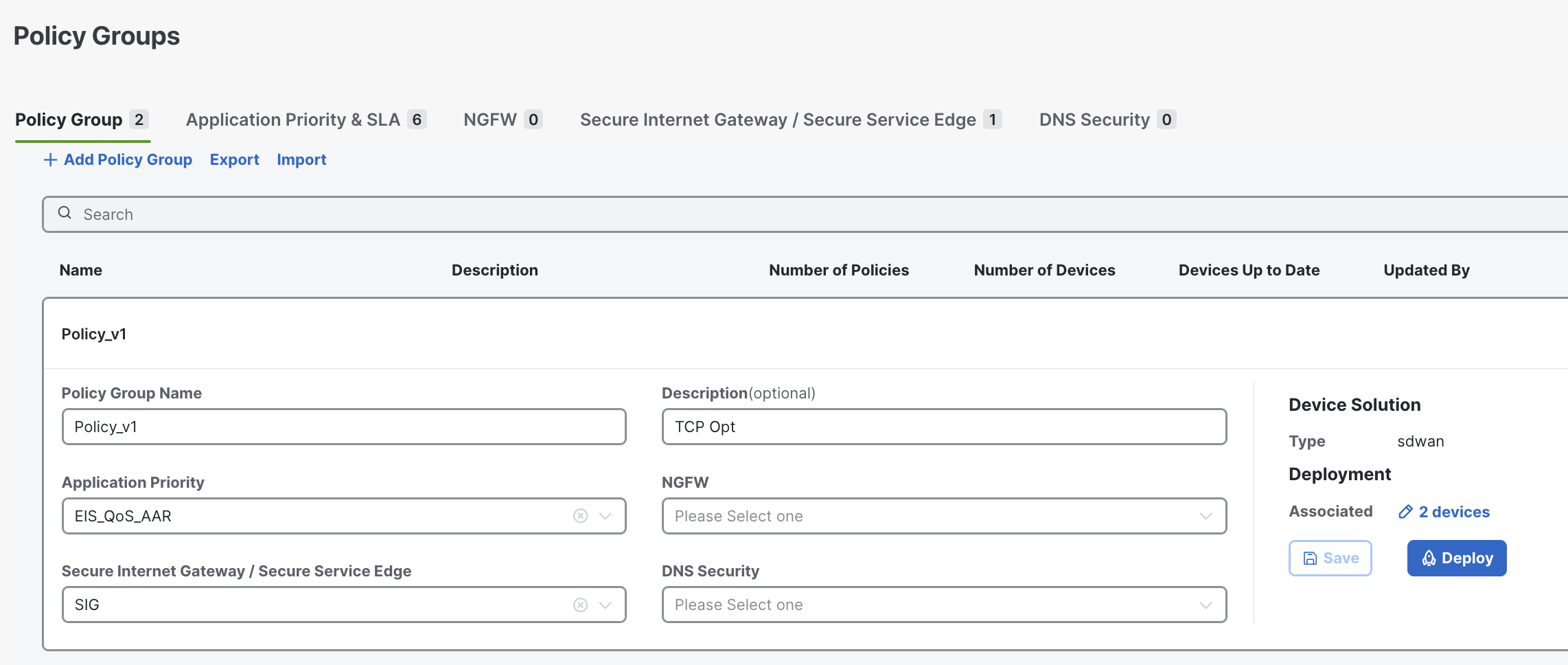
After creation, a Policy Group can be associated with one or more sites or devices (that are managed under a Configuration Group) and then deployed.
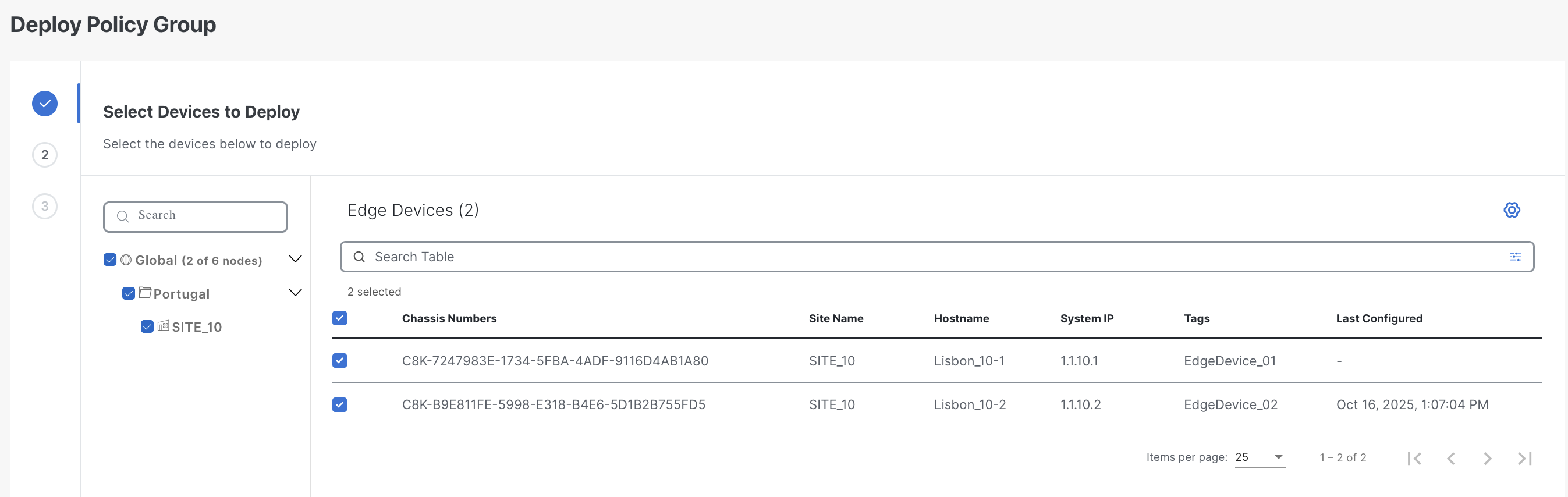
You have the option to choose between basic and advanced layouts. The basic layout makes it easy and fast to configure your policies for your application and the advanced layout provides more control and additional options.
Topology
UX 2.0 includes a Topology policy where you can define the overlay structure. When you create a Topology Policy, you choose the topology type (mesh, hub-spoke, custom), select the relevant VPN(s), and assign sites (hub, spokes) or site lists.
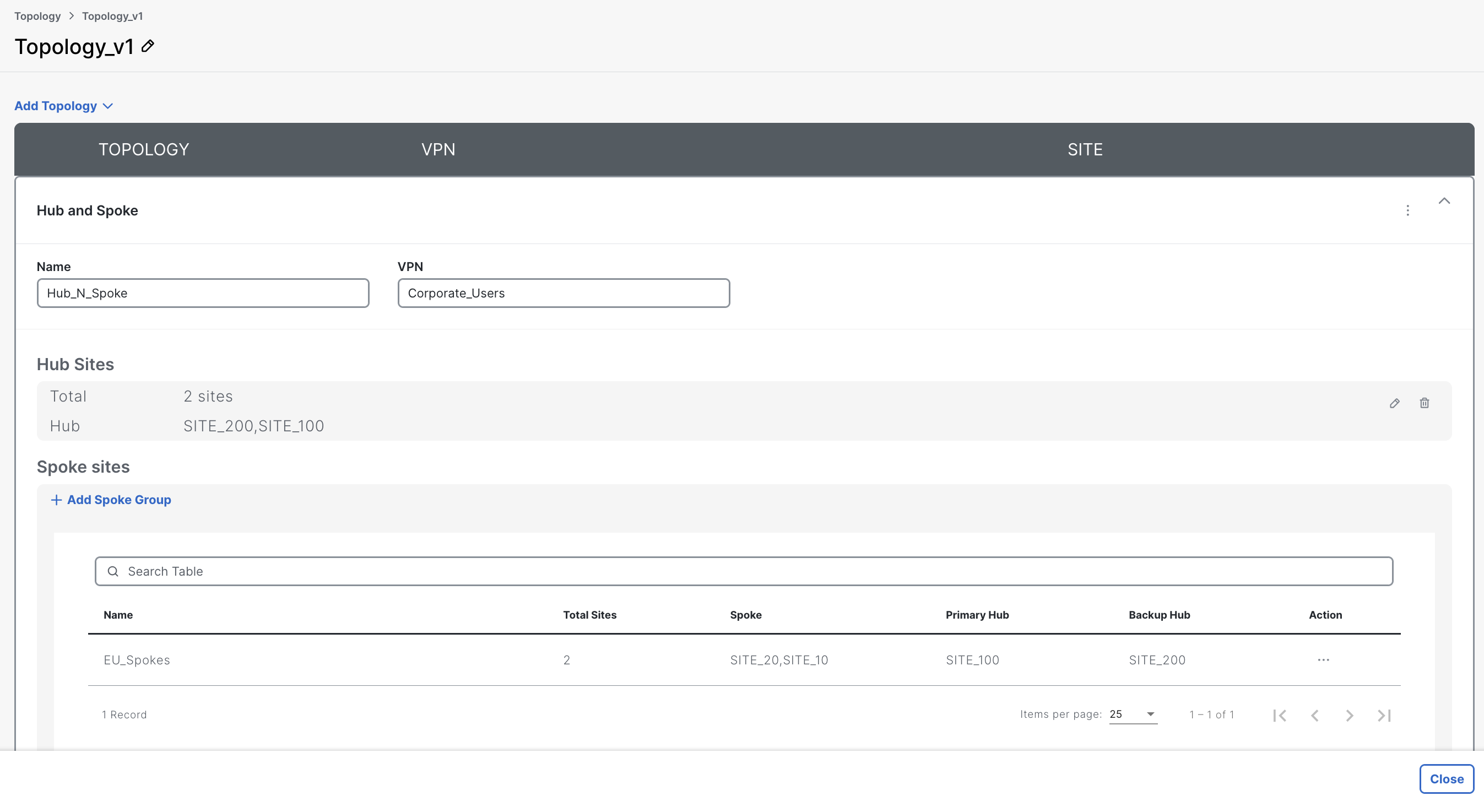
Starting with newer releases, you can also use tag-based topology assignment, meaning that devices can be included in topologies using tags, giving more flexibility especially for dynamic or large-scale deployments.
Only one active topology definition can be in effect for a given group (Topology policy replaces older “control policy” construct).
Application Catalog
UX 2.0 introduces an Application Catalog, a repository where you can manage everything related to applications, from custom applications, lists to nbar protocol packs and more.
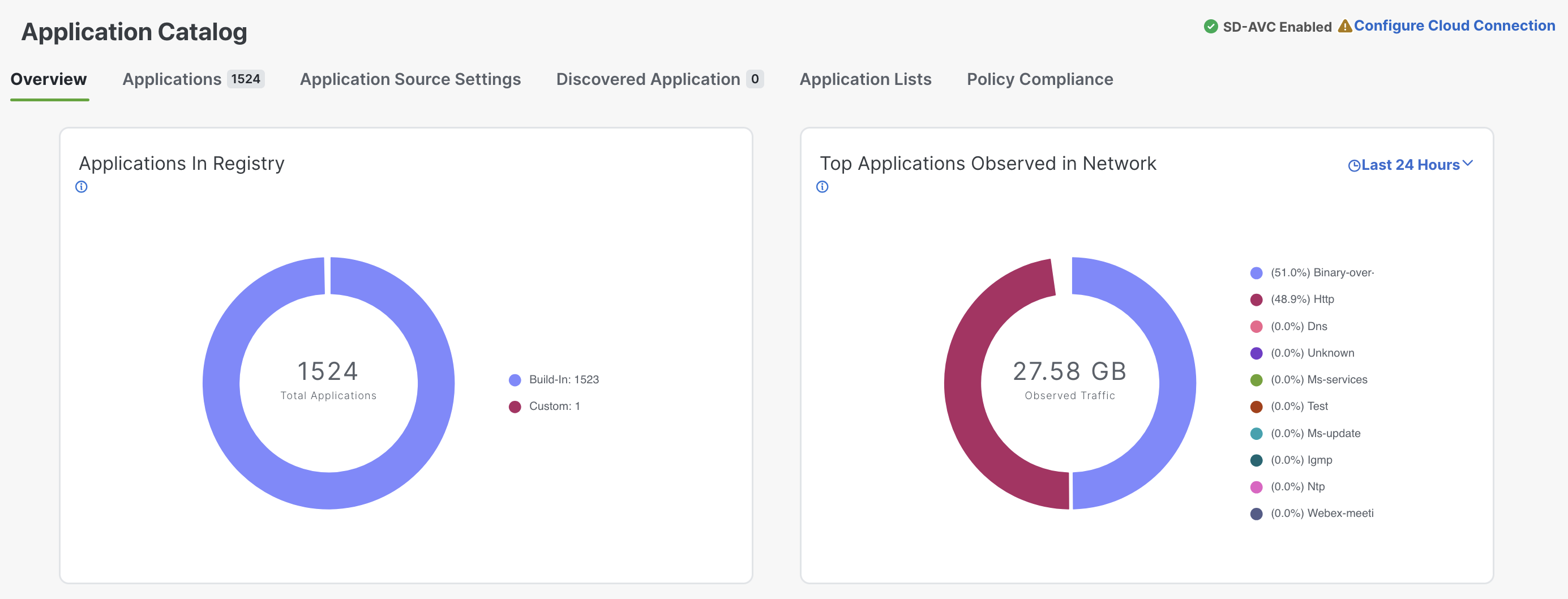
When configuring policies, you can reference application lists from the Application Catalog, making it easy for those definitions to be reused and available throughout different types of polices.
The catalog supports default (Cisco-provided) applications, custom apps, and even cloud-sourced applications.
Benefits of the UX 2.0 Approach
-
Unified workflows: Rather than separately managing data, AAR, and security policies, you build a single Policy Group that includes everything relevant for a site or set of devices. This leads to less complexity and fewer mistakes.
-
Simplified deployment and change management: Once configured, you can deploy policy groups to one or many devices/sites, making it easy to test before rolling out changes network wide.
-
Semi-automated migration and co-existence: UX 2.0 supports migration from older models through a conversion tool, and allows coexistence of legacy and new configuration models while transitioning.
-
Improved visibility and management: New UI brings better dashboards, topology-aware visualizations, easier troubleshooting, and central catalog for applications/policies.
Best Practices
-
Use descriptive names for Policy Groups and associated topology or application profiles for clarity.
-
Leverage the Application Catalog: rely on predefined app lists when possible; define custom apps when needed.
-
Use tag-based topology where possible to simplify large–scale deployments and future expansions.
-
When migrating from legacy config models, consider a phased rollout; take advantage of the selective deployment available in UX 2.0
-
Always test new Policy Groups in a lab or limited pilot before rolling out network-wide.
Conclusion
The policy model in Cisco SD-WAN has undergone significant improvements with UX 2.0. These changes are driven by real field feedback and aim to simplify the way policies are designed, tested, and managed. While any migration introduces some friction, the conversion tool handles most of the heavy lifting, leaving you with only the final adjustments. In the end, the benefits far outweigh the effort required to transition to UX 2.0.
If you’re new to SD-WAN, I strongly recommend starting directly with UX 2.0, you won’t regret it 😉
Ready to master UX 2.0? Check out my detailed course and join the waitlist today to be among the first to get access and level up your Cisco SD-WAN skills!